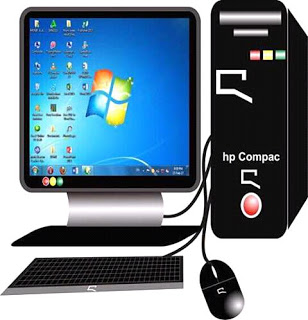
Featured

ABUBUWAN LURA YAYIN SIYEN SABUWAR KWAMFUTA (DESKTOP OR LAPTOP đź’» )

Yayin sayen sabon komputa, ya kamata ka sa kula da tunani.
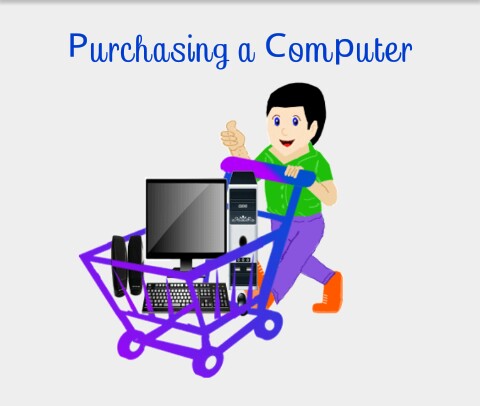
Yayin sayen sabon kwamfutar tebur(Desktop) , dole ka sayi madubi (monitor), maballin keyboard da saran kayan aikin kwamfuta, galibi, zaka iya siyan firinta, sikana kamar yadda kake buƙata.

Lokacin sayen sabon kwamfutar yana da mahimmanci fahimtar irin nau’in aikin da kake son yi akan kwamfutarka.
Misali, kawai zaka iya yin ayyukan yau da kullun akan kwamfutarka kamar amfani da Magana, Excel, PowerPoint, Intanet e.t.c

Don haka bai kamata ku biya mai yawa don siyan komputa ba.
Amma idan kuna son yin abubuwa kamar gyara hotuna, shirya bidiyo, kunna manyan wasanni a kwamfutarka, to, akwai kwamfutar da ke da tsari mai kyau akan ta.

RAM na kwamfutar dole ne ya zama 2 zuwa 4GB ko sama da haka, wannan yana taimakawa wajen gudanar da aikace-aikacen da kyau akan kwamfutar.

Hakanan rumbun kwamfutarka dole ne ya zama aƙalla 500GB ko fiye, saboda haka zaka iya adana matsakaicin bayanai a cikin kwamfutar.

Yakamata ya zama mafi sabbin kayan aiki lokacin sayen sabuwar kwamfuta.

Ya kamata a sami katin hoto, katin sauti don gyara bidiyo a cikin kwamfutar.

Ko da kuna son siyan sabon Laptop, kuna buƙatar tuna waɗannan abubuwan.

A takaice, siyan sabon tebur na kwamfuta ko kwamfutar tafi-da-gidanka yana da muhimmanci a tuna da waÉ—annan masu zuwa:

  1. RAM – 2 zuwa 4GB ko fiye.
  2. Hard disk – 500GB ko fiye.
  3. Mai sarrafawa (CPU) – sabbin kayan aiki misali i5, i7, e.t.c
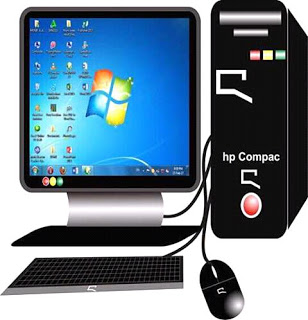
Most Useful Computer Information Abbreviation With Their Full Meaning

1. *PAN*
Permanent Account Number.

2. *PDF*
Portable Document format.

3. *SIM*
Subscriber Identity Module.

4. *ATM*
Automated Teller Machine.

5. *Wi-Fi*
Wireless Fidelity.

6. *GOOGLE*
Global Organization Of Oriented Group Language Of Earth.

7. *YAHOO*
Yet Another Hierarchical Officious Oracle.

8. *WINDOW*
Wide Interactive Network
Development for Office work Solution.

9. *COMPUTER*
Common Oriented Machine,
Particularly United and used under Technical and Educational Research.

10. *VIRUS*
Vital Information Resources Under Siege.

11. *UMTS*
Universal Mobile Telecommunications
System.

12. *AMOLED*
Active-Matrix Organic Light-
Emitting diode.

13. *OLED*
Organic Light-Emitting diode.

14. *IMEI*
International Mobile
Equipment Identity.

15. *ESN*
Electronic Serial Number.

16. *UPS*
Uninterruptible Power Supply.

17. *HDMI*
High-Definition Multimedia Interface.

18. *VPN*
Virtual Private Network.

19. *APN*
Access Point Name.

20. *LED*
Light Emitting Diode.

21. *DLNA*
Digital Living Network Alliance.

22. *RAM*
Random Access Memory.

23. *ROM*
Read only memory.

24. *VGA*
Video Graphics Array.

25. *QVGA*
Quarter Video Graphics Array.

26. *WVGA*
Wide video Graphics Array.

27. *WXGA*
Widescreen Extended Graphics Array.

28. *USB*
Universal Serial Bus.

29. *WLAN*
Wireless Local Area Network.

30. *PPI*
Pixels Per Inch.

31. *LCD*
Liquid Crystal Display.

32. *HSDPA*
High Speed Down link Aacket Access.

33. *HSUPA*
High-Speed Uplink Packet Access.

34. *HSPA*
High Speed Packet Access.

35. *GPRS*
General Packet Radio Service.

36. *EDGE*
Enhanced Data Rates
for Globa Evolution.

37. *NFC*
Near Field Communication.

38. *OTG*
On-The-Go.

39. *S-LCD*
Super Liquid Crystal Display.

40. *O.S*
Operating System.

41. *SNS*
Social Network Service.

42. *H.S*
HOTSPOT.

43. *P.O.I*
Point Of Interest.

44. *GPS*
Global Positioning System.

45. *DVD*
Digital Video Disk.

46. *DTP*
Desk Top Publishing.

47. *DNSE*
Digital Natural Sound Engine.

48. *OVI*
Ohio Video Intranet.

49. *CDMA*
Code Division Multiple Access.

50. *WCDMA*
Wide-band Code Division Multiple Access.

51. *GSM*
Global System for Mobile Communications.

52. *DIVX*
Digital Internet Video Access.

53. *APK*
Authenticated Public Key.

54. *J2ME*
Java 2 Micro Edition.

55. *SIS*
Installation Source.

56. *DELL*
Digital Electronic Link Library.

57. *ACER*
Acquisition Collaboration
Experimentation Reflection.

58. *RSS*
Really Simple Syndication.

59. *AMR*
Adaptive Multi-Rate.

60. *MPEG*
Moving Pictures Experts Group.

60. *HP*
Hewlett Packard.

Introduce Yourself (Example Post)

This is an example post, originally published as part of Blogging University. Enroll in one of our ten programs, and start your blog right.

You’re going to publish a post today. Don’t worry about how your blog looks. Don’t worry if you haven’t given it a name yet, or you’re feeling overwhelmed. Just click the “New Post” button, and tell us why you’re here.

Why do this?

  • Because it gives new readers context. What are you about? Why should they read your blog?
  • Because it will help you focus you own ideas about your blog and what you’d like to do with it.

The post can be short or long, a personal intro to your life or a bloggy mission statement, a manifesto for the future or a simple outline of your the types of things you hope to publish.

To help you get started, here are a few questions:

  • Why are you blogging publicly, rather than keeping a personal journal?
  • What topics do you think you’ll write about?
  • Who would you love to connect with via your blog?
  • If you blog successfully throughout the next year, what would you hope to have accomplished?

You’re not locked into any of this; one of the wonderful things about blogs is how they constantly evolve as we learn, grow, and interact with one another — but it’s good to know where and why you started, and articulating your goals may just give you a few other post ideas.

Can’t think how to get started? Just write the first thing that pops into your head. Anne Lamott, author of a book on writing we love, says that you need to give yourself permission to write a “crappy first draft”. Anne makes a great point — just start writing, and worry about editing it later.

When you’re ready to publish, give your post three to five tags that describe your blog’s focus — writing, photography, fiction, parenting, food, cars, movies, sports, whatever. These tags will help others who care about your topics find you in the Reader. Make sure one of the tags is “zerotohero,” so other new bloggers can find you, too.

Design a site like this with WordPress.com
Get started